
















Store and share files online
AI-powered, secure cloud storage for seamless file sharing and enhanced collaboration. Up to 5TB storage per user.

Store and share files online
AI-powered, secure cloud storage for seamless file sharing and enhanced collaboration.
Say goodbye to file silos and content chaos
Move your data and store all of your files in one place with Google Drive. AI-powered storage in the cloud helps teams collaborate in real-time, making it faster to find files and insights, backed by Google’s industry-leading data security for added protection.

Make smarter decisions with Gemini in Drive
Gain valuable insights by summarizing long documents, synthesizing information, and retrieving quick facts about your content without having to search through multiple files. See what else Gemini can help you do and try .
Cloud storage made easy
Simple and scalable cloud storage for people and teams of all sizes. Upload, open, share and edit files from any device.
Storage that grows with you
Scale your storage effortlessly from 15GB to 5TB per user, plus the ability to request additional storage. Storage costs vary.

Gmail attachments straight to Drive
Save and organize attachments directly to Drive without leaving your inbox.

Scan documents with Drive
Quickly scan and store receipts, billing statements and more as searchable PDFs, directly from the Drive app for Android or iOS.


Work smarter, save time
One place to manage, access, edit, and organize your files effortlessly for a streamlined workflow.


Your files, all in one place
Edit and organize , , , Microsoft Office files, and PDFs in real-time. Plus, access over 100 other file types!

Annotate PDFs
Add and edit comments directly in the PDFs by highlighting text.

AI-powered search
Drive's search, powered by AI, offers speed, and reliability by quickly surfacing relevant results based on your activities.

Activity view

This feature is available on some Google Workspace plans.
Get a quick overview of your file activity across Workspace in one place, empowering you to act efficiently.

Streamlined content collaboration and workflows
Unleash your team's full potential with seamless collaboration and effortless teamwork.
Manage access
Easily with customizable permissions (edit, comment, view). Control access further by preventing unwanted actions and setting expiration dates.

Empower team collaboration with shared drives
This feature is available on some Google Workspace plans.
Shared drives give teams a place to store, access, and manage files together.

Electronic signatures
This feature is available on some Google Workspace plans.
Request and easily manage vendor agreements, customer contracts, stakeholder sign-off, and more.

3rd party integrations
This feature is available on some Google Workspace plans.
Import and create Google Drive files within third party apps like Slack, Zoom, Salesforce, Atlassian, SAP and many more to streamline your work.


Secure cloud storage you can count on
Keep your data in trusted, compliant, and reliable cloud infrastructure that seamlessly integrates with your Workspace apps.

Cloud-native, enterprise-ready
A cloud infrastructure that is always up-to-date, helps reduce , and meet .

This feature is available on some Google Workspace plans.
Zero trust controls
Robust security capabilities including , , and to safeguard sensitive data.

This feature is available on some Google Workspace plans.
AI-powered security
intelligently labels sensitive content, automatically identifying and protecting it with .
Cloud-native, enterprise-ready
A cloud infrastructure that is always up-to-date, helps reduce , and meet .
This feature is available on some Google Workspace plans.
Zero trust controls
Robust security capabilities including , , and to safeguard sensitive data.
This feature is available on some Google Workspace plans.
AI-powered security
intelligently labels sensitive content, automatically identifying and protecting it with .
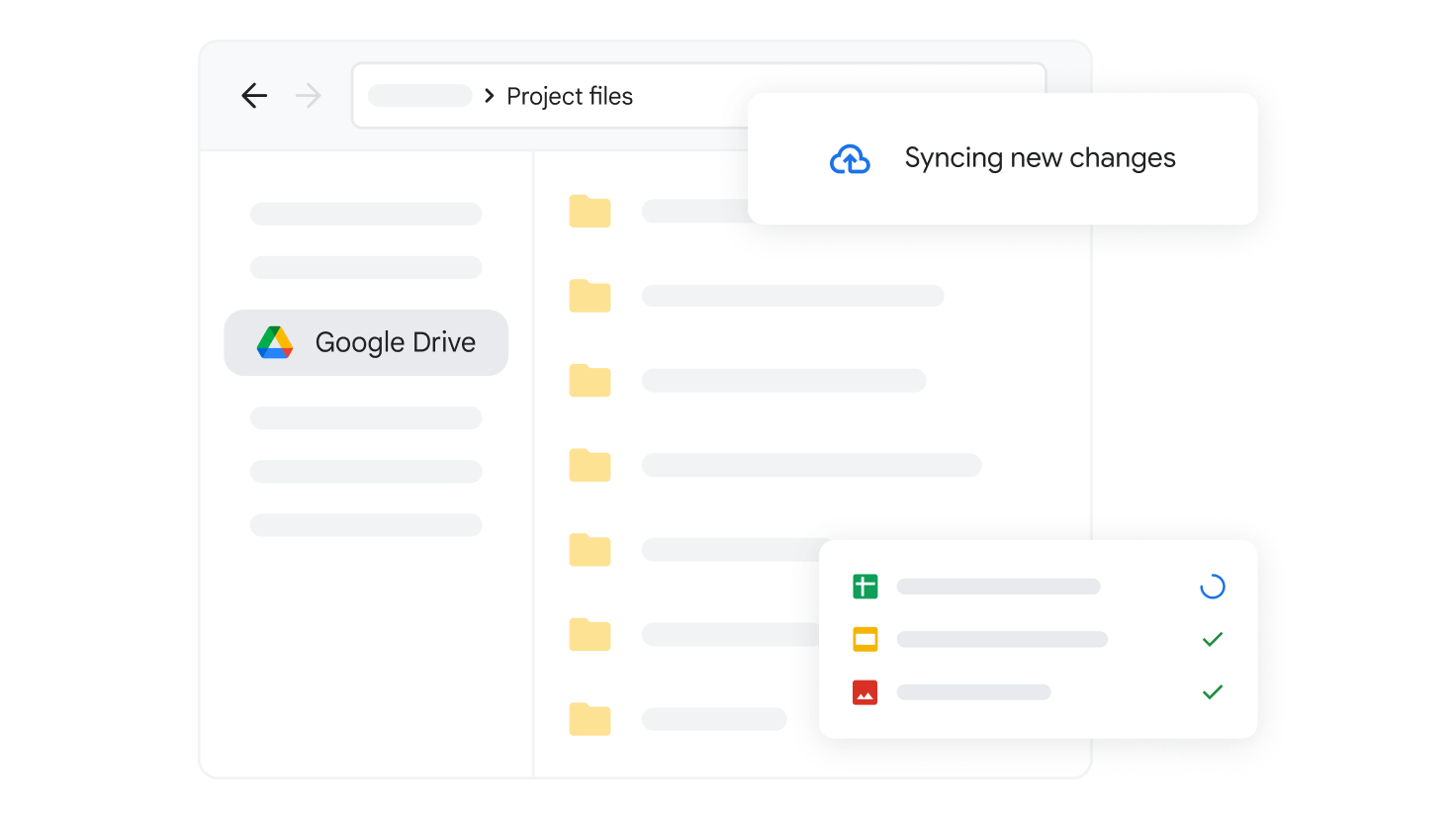
Sync your desktop with Drive
Get the most out of Drive right from your computer. Automatically keep all your Drive files up to date and protected. Available for Windows and macOS.
Block ransomware proliferation with Drive for desktop
With AI-powered virus detection seamlessly integrated into Drive for desktop, customers have real-time ransomware detection, instant file recovery, and enhanced data security. Protect your business from costly downtime and data loss.

Experience Drive on your mobile devices
Learn why organizations use Drive

We’ve automated our kick-off process. When we have a new project come in, within two minutes, we have all of the relevant templates duplicated in a Google Drive folder.

We have 100,000 users and billions of files in Google Drive. We couldn’t handle the labeling process at scale without AI classification. It provides value immediately, from the moment you turn it on.

Drive serves as a reference point for solutions from all our past projects so that our teams won’t feel like they need to reinvent the wheel when they start a new project.
Curious about Google Drive?
Take a look at our FAQs to learn more.
Yes, you can use our to move your organization’s important data to Google Workspace from your current storage solutions.
Google Workspace’s Business and Enterprise editions provide customers with flexible options to meet their storage needs. To see which plan works best for your business, please visit our .
The business version of Drive gives you more storage, stronger support, and shared drives for your team. Learn more about the various options available on the .

Store, manage and collaborate with Google Drive